How to lower music during calls on a Mac
Updated
macOS can't do this on its own. It has one volume control for the whole Mac, and Zoom, Microsoft Teams and Google Meet don't have a Mac setting that turns other apps down during a call. You can lower your music app's own slider before each call, or use an app that lowers everything else automatically when a call starts and turns it back up when you hang up.
Why macOS doesn't do it
Sound settings on a Mac control one output volume for everything. Apps like Music and Spotify have their own sliders, but Apple notes that an app's volume can only be equal to or lower than the Mac's output volume, so you can't turn a call up without turning the music up too.
The “audio ducking” setting in VoiceOver doesn't help either. It lowers music and podcasts only while VoiceOver itself is speaking, not during calls.
What the call apps do
- Zoom: no setting to lower other apps on a Mac.
- Microsoft Teams: no setting on a Mac. The “reduce other sounds” option is in Windows, not macOS.
- Google Meet: no setting. Chrome can mute a whole site, but not lower another app.
- FaceTime: some people report that other audio gets quieter during FaceTime calls, but Apple doesn't document it and there's no setting to control it.
Option 1: Turn the music app down by hand
- Before the call, open Music, Spotify or whatever is playing.
- Drag that app's own volume slider down.
- After the call, drag it back up.
This works with nothing extra installed. The catch is remembering to do it twice per call, and it only works for apps that have their own slider.
Option 2: Make it automatic
A per-app volume app can watch for an app using the microphone, lower everything else, and restore it when the call ends. Turny does this for any app that uses the mic, including Zoom, Teams, FaceTime and Google Meet in a browser. The app on the call stays at its normal volume.
- Download Turny and drag it to Applications. It needs an Apple Silicon Mac with macOS 15 or later.
- Open it and allow System Audio Recording when macOS asks. Turny needs this to change other apps' volume, and it never records anything.
- Call lowering is on from the start, and other apps drop to 30% during a call. To change that, click the Turny icon in the menu bar, choose Settings…, then Calls, and drag the “Lower to” slider.
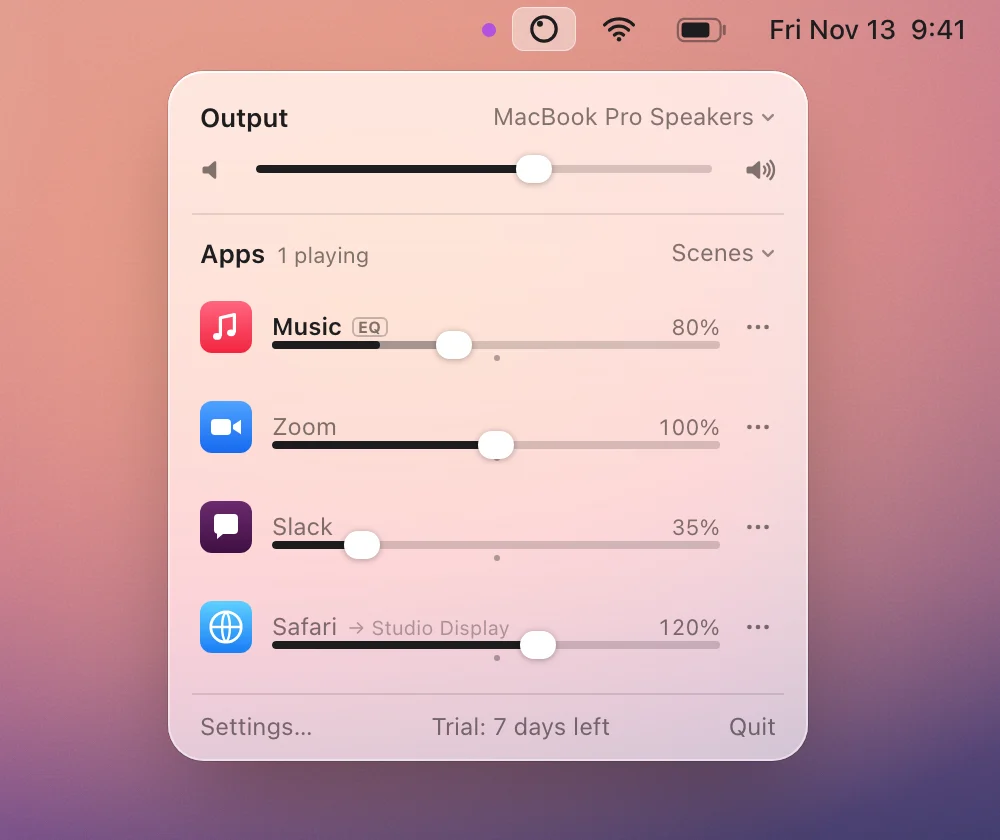
Turny costs $2.49 once after a 7-day free trial. SoundDial and Volume Mixer also lower other apps during calls and run on macOS 14.2; see how they compare.